
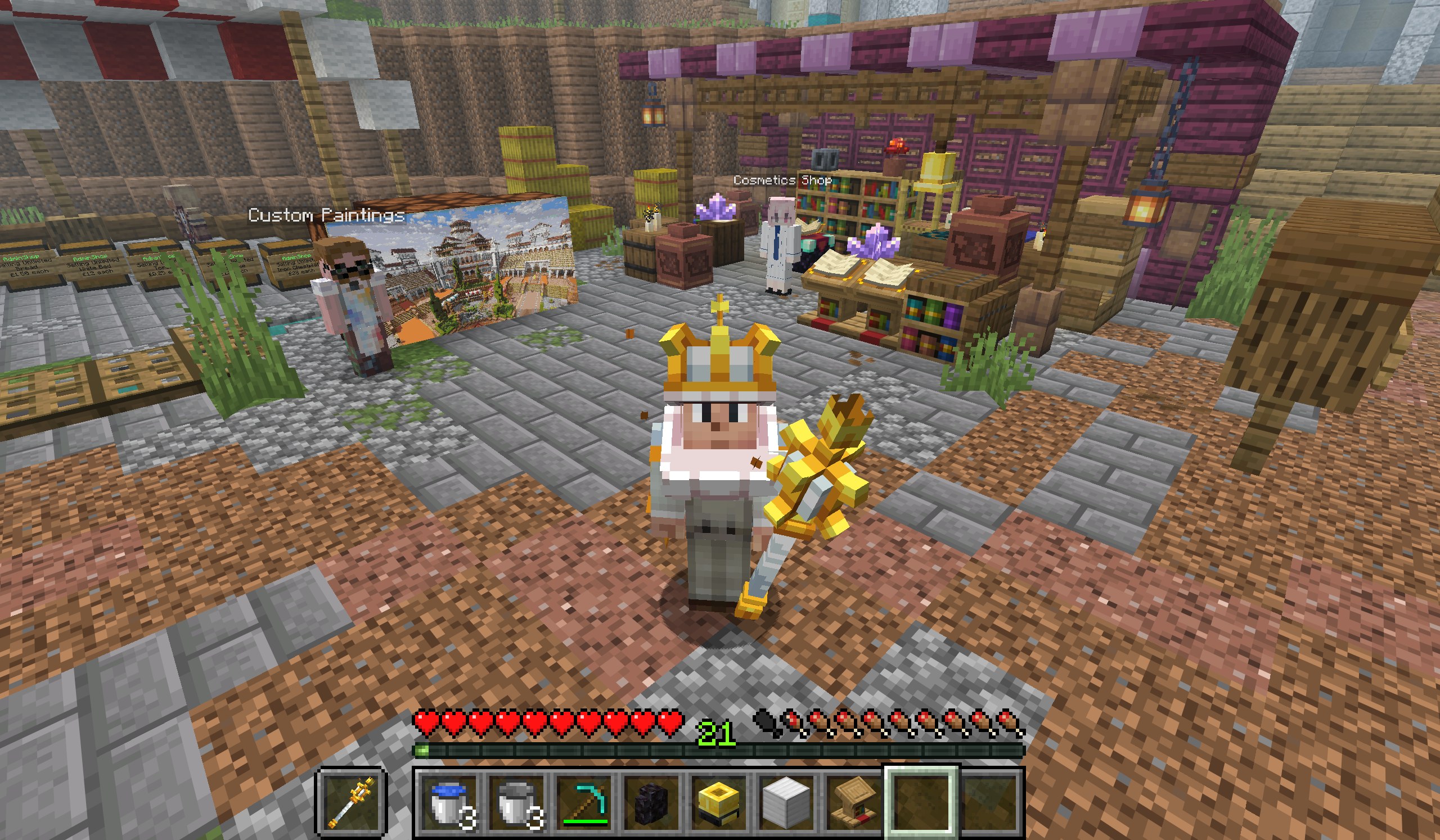
A number of our plugins were updated to their latest versions today, which brings two improvements for players on newer Java clients.
What’s new
- Java clients up to 26.3 are now supported.
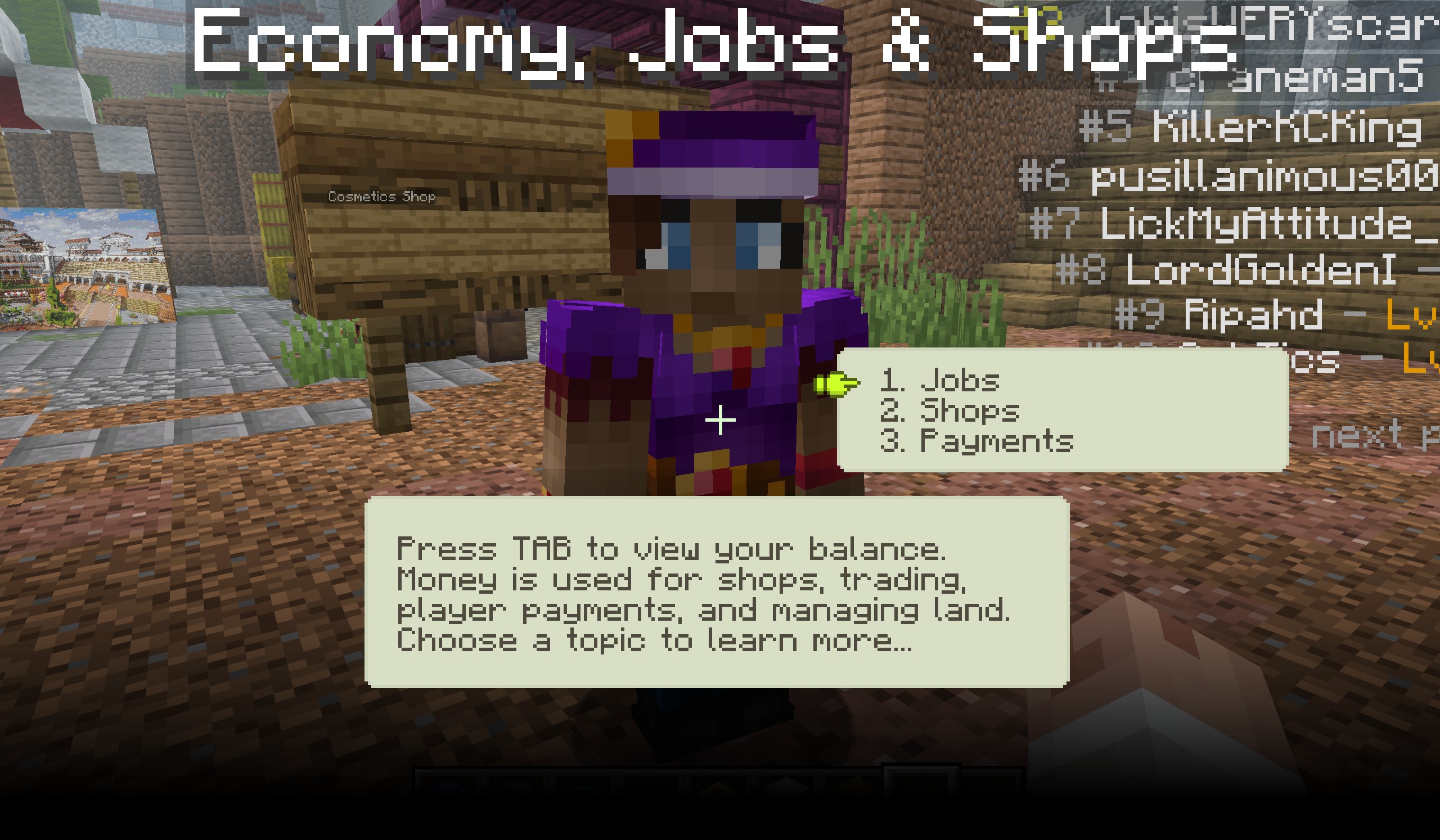
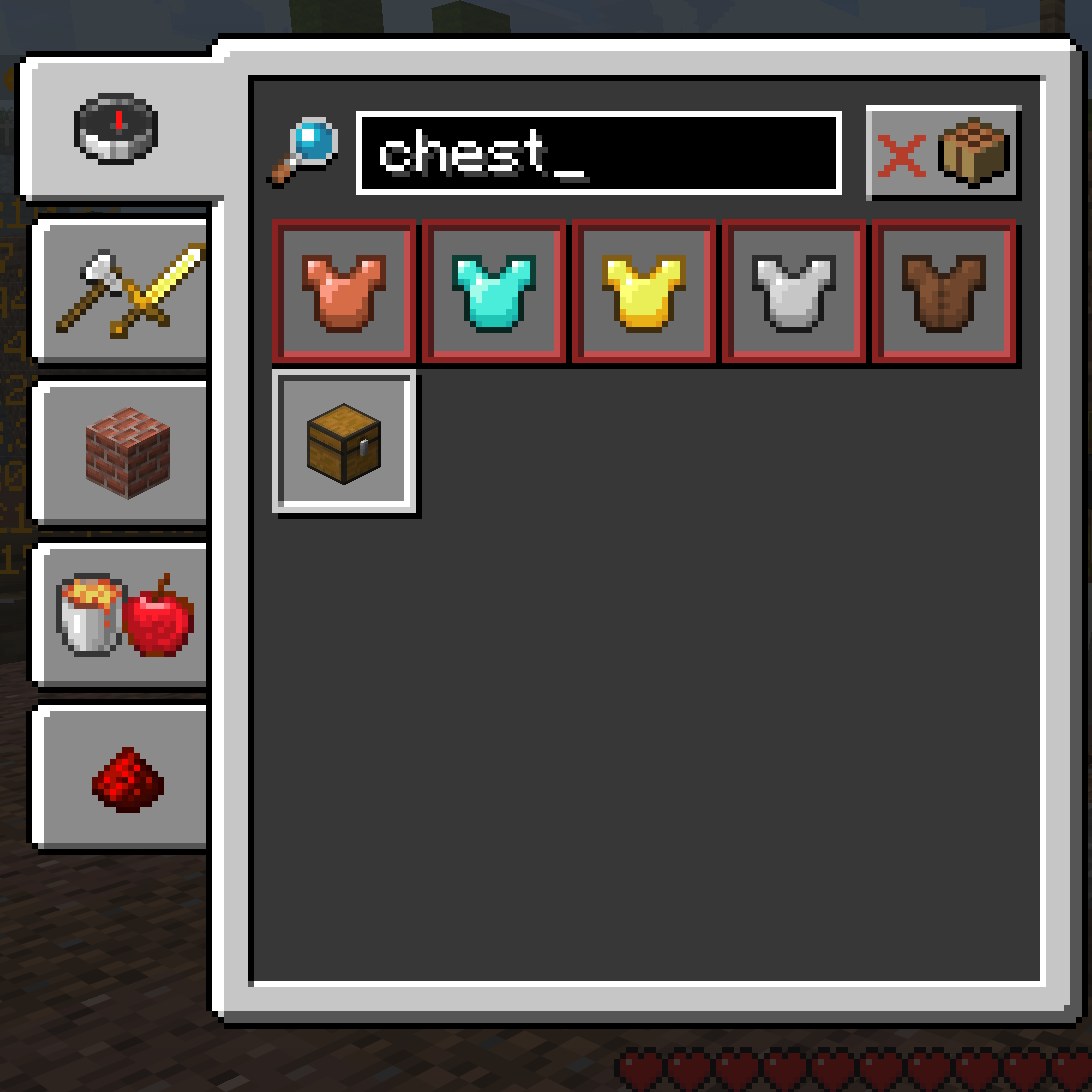
- The server resource pack now works on clients newer than 1.21.11. NPC dialogues, cosmetics and inventory items now render correctly. Before, icons such as chests were missing from inventory screens, NPC dialogues showed up as “JJJJJJ”, and cosmetics did not render at all.
We have tested it on every version from 1.21.11 through 26.3. The screenshots below are from a vanilla 26.3 client.
Using the server resource pack
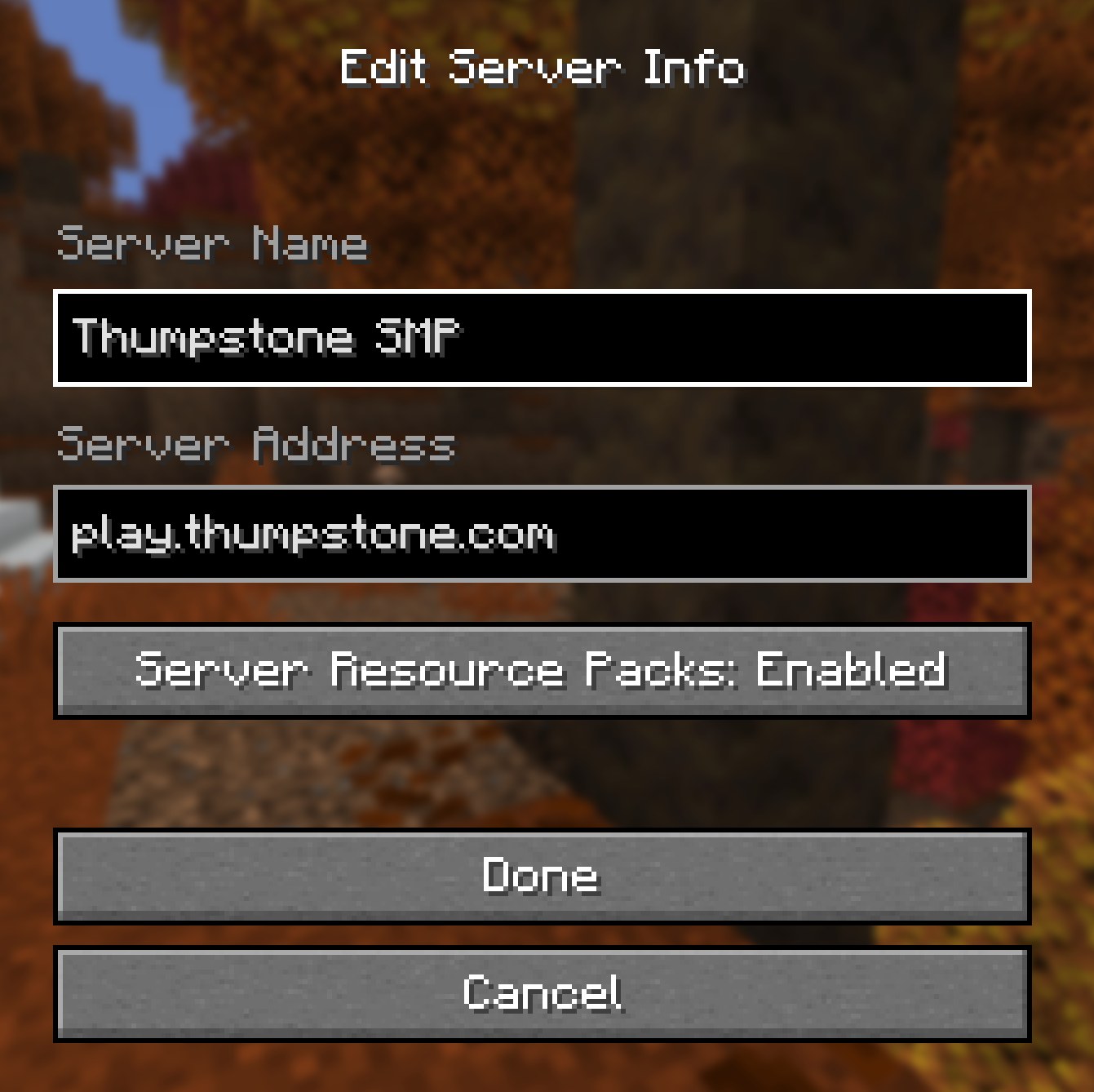
The resource pack is for Java Edition players only. To use it, make sure server resource packs are enabled on the “Edit Server” screen in your client, and accept the pack when you are prompted. Our How to Join guide has the full steps, including what to do if you declined it by mistake.
What this opens up
Supporting a wider range of clients means more players get the best experience. It also opens the door to more things in future, such as more custom items, weapons and furniture, and the imminent launch of the Thumpstone premium cosmetics web shop.
New to the server? Start with the How to Join guide.